Phoenix car tracker and alarm Where’s the car? Are the doors locked?

Phoenix is a tracker and alarm that’s installed inside your car and works with an app on your phone. The app shows where the car is, whether the doors are locked and how the battery is doing. If someone opens a door or moves the car, you find out right away.

No internet? The app sends commands by SMS.

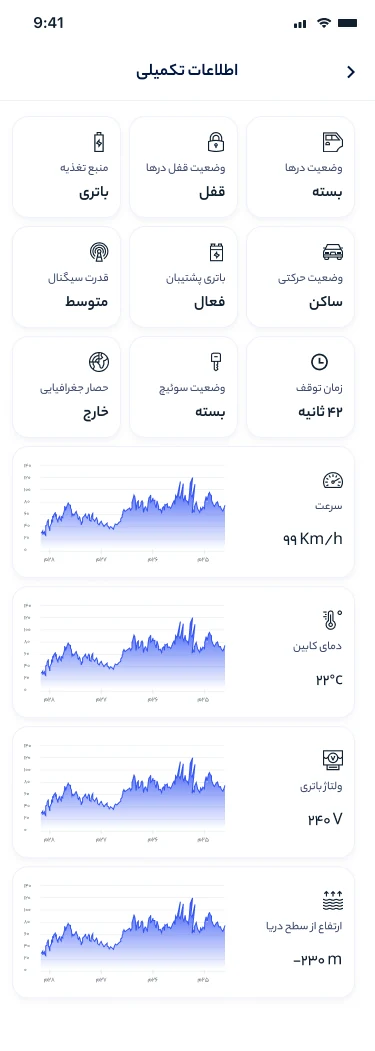
Phoenix app details screen with door lock status, battery, ignition and a speed chart
Sample device report
Doors
Locked
Ignition
Off
Car battery
12.6 V
Cabin
22 °C
Mobile signal
Good
Last report
1 second ago
Car status

Check on your car without walking down to the parking lot

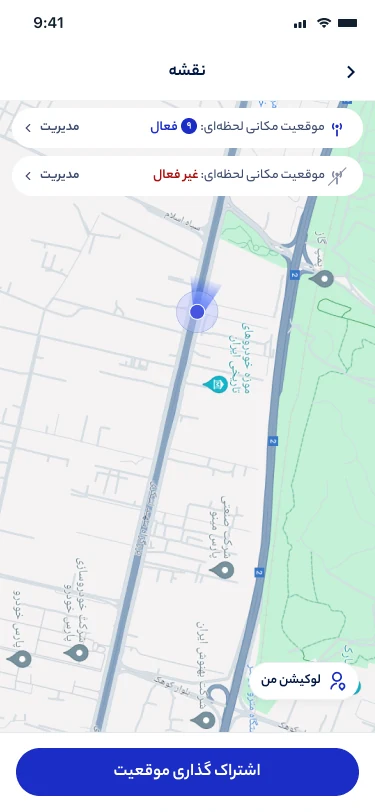
The app’s home screen shows whether the doors are locked, whether the engine is on, and the car’s speed and cabin temperature. You see its location on the map and as a street address.

What the device reports

  • Location on the map, with the street address
  • Whether the doors are locked and closed
  • Ignition on or off
  • Speed and how long the car has been parked
  • Cabin temperature
  • Car battery voltage
  • Running on the car battery or the backup battery
  • Mobile signal strength and GPS accuracy

With a subscription, this information updates about every second. Without one, once a minute.

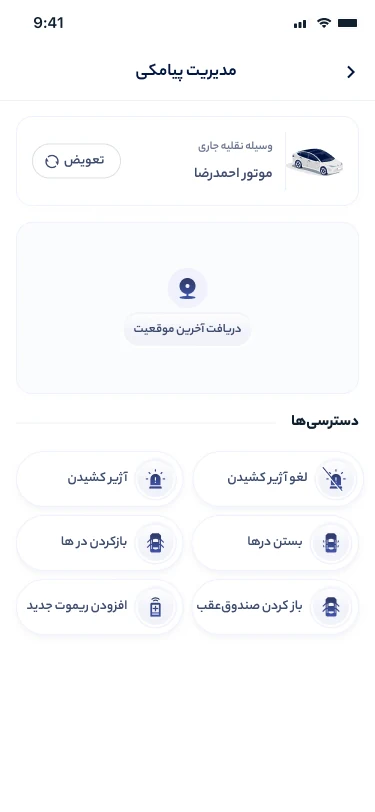
Phoenix app map with the car’s live location and a button for sharing it
Remote control

You can lock the car from home

Commands reach the device over the internet, so distance doesn’t matter. When you lock or unlock the doors, you choose whether the car chirps or stays silent.

Lock and unlock the doors
With a siren chirp or silently
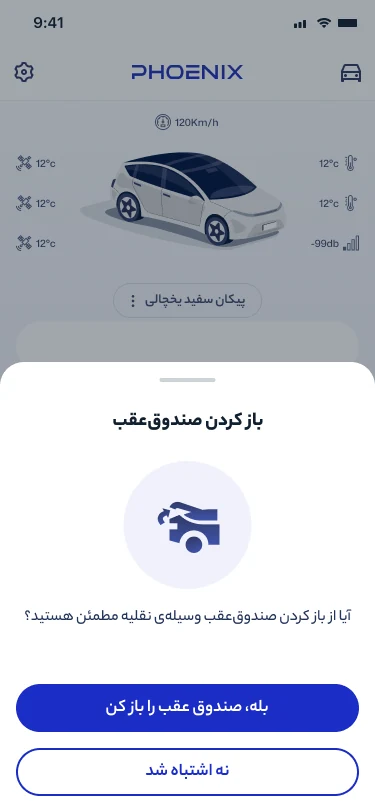
Open the trunk
Asks you to confirm first
Find the car
The siren sounds for a few seconds and the turn signals flash
Horn
Sounds for as long as you hold the button
Windows and mirrors
The windows close and the mirrors fold in
Listen to the cabin
The app calls the device
Cutting the engine If the car is moving, the device waits until it slows to under 30 km/h and then cuts power to the engine. Until then, the app shows the command as waiting. Tap “Cancel engine cut” to restore power.
Confirmation dialog for opening the trunk in the Phoenix app
Alerts

Your phone tells you when someone tampers with the car

Alerts arrive even when the app is closed. You can turn each one on or off and give it its own sound.

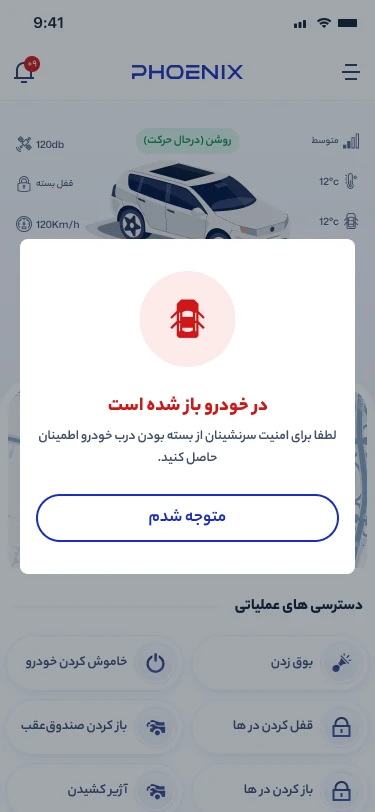
  • A door opens
  • Something hits the car
  • A window breaks
  • The car battery is disconnected
  • The car moves with the engine off, for example on a tow truck
  • The car enters or leaves an area you drew on the map
  • The car goes faster than a limit you set
  • The cabin gets too hot or too cold
  • Battery voltage drops
  • A jammer is switched on near the car

A jammer blocks mobile or GPS signals. Car thieves use them so a tracker can’t send any reports.

Door-open alert on the Phoenix app home screen
SMS mode

No internet, and you’re still in control

If your phone or the device can’t get online, the app switches to SMS mode on its own and sends commands by text message. The main controls keep working.

  • Lock and unlock the doors
  • Sound and stop the siren
  • Open the trunk
  • Get the car’s last location
  • Pair a new remote
SMS control screen with buttons for the locks, the siren and the last location

More you can do in the app

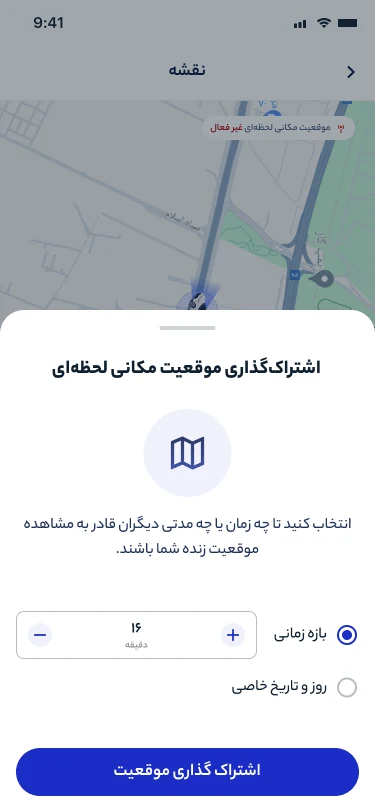
Live location sharing screen with a duration picker

History and location sharing

Trips and events are saved on the map: where the car stopped, when a door was opened and with which remote. You can also send someone a link to the car’s live location. The link works for anywhere from 15 minutes to 18 hours.

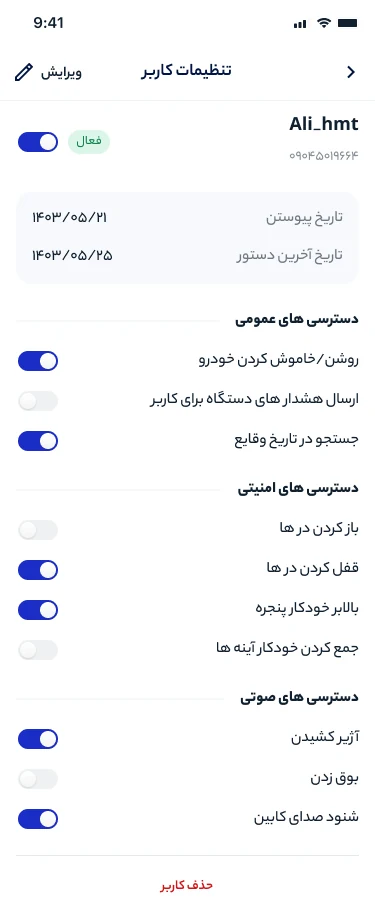
User settings screen with on and off switches for each permission

One car, several drivers

The owner can add up to 10 people and decide what each of them can do. Your teenager could lock and unlock the doors, for example, but not cut the engine.

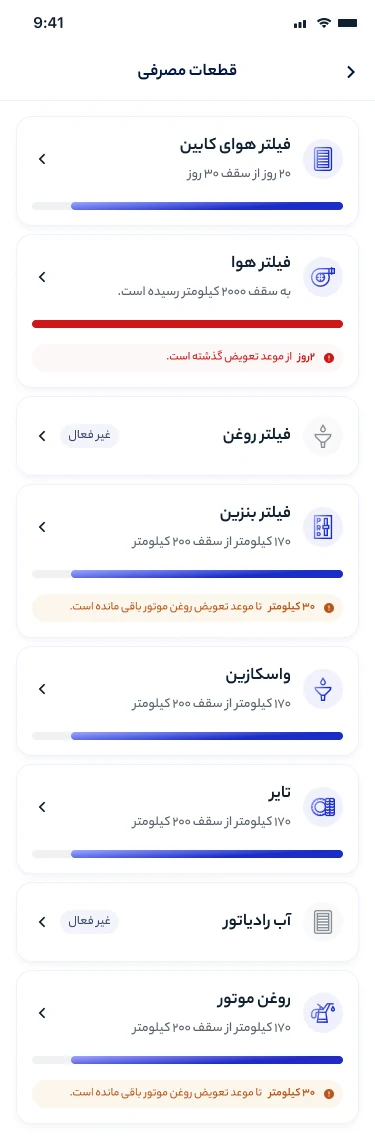
Service items screen with progress bars for the filters and engine oil

Service reminders

Enter when the oil, filters, tires and coolant are due. The app keeps track of the car’s mileage and reminds you when it’s time, by kilometers or by days, whichever comes first.

The device

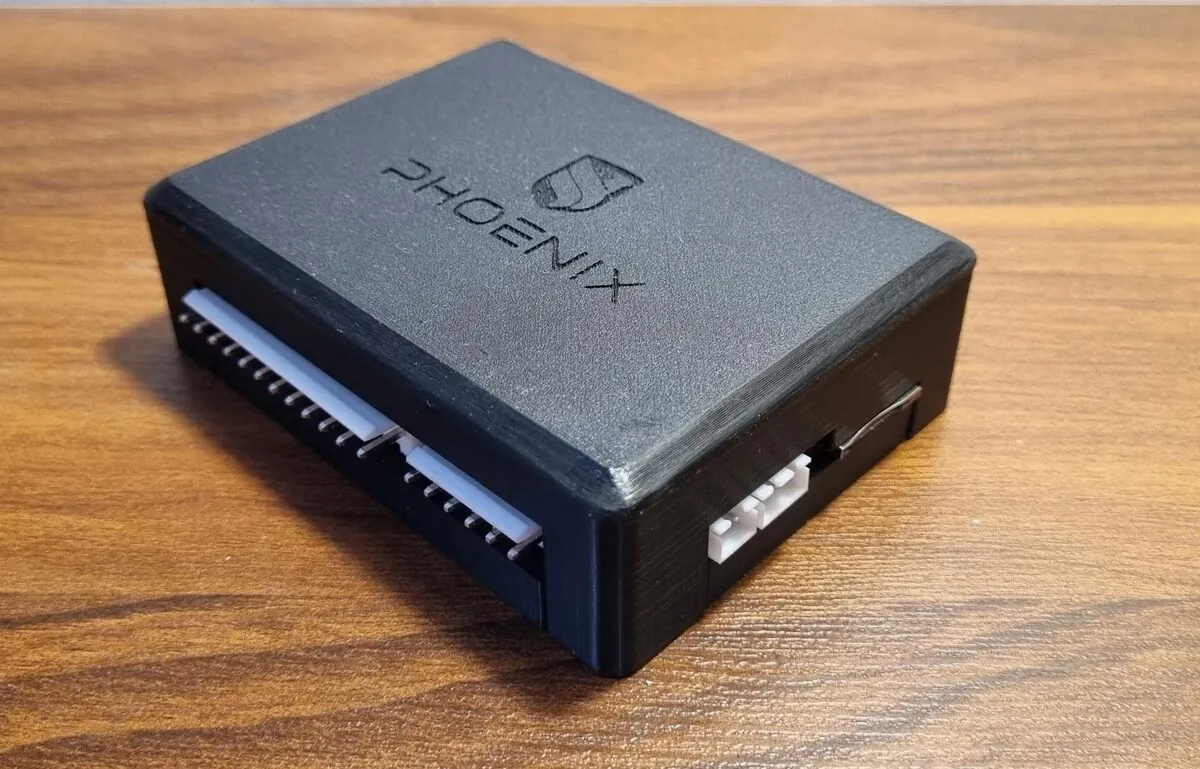
A small box inside the car

The device has its own SIM card and a backup battery. If someone disconnects the car battery, it stays on and sends you an alert. Its software updates over the air, but nothing installs until you approve it in the app.

Remotes
Up to 10, alongside the car’s original remote
Users
Up to 10 people per device
Auto-lock
If you unlock the doors remotely and nobody gets in, they lock again after a few seconds
Window LED
A blinking light you can switch off
The Phoenix device, a black box with white connectors on the side
The Phoenix device
Subscription

It works without a subscription

The data the device sends is stored on our servers. A monthly or yearly subscription pays for that, and it turns on faster updates, full history and a few other features.

FeatureWithout subscriptionWith subscription
Data updatesEvery minuteAbout every second
Location historyLast hourUnlimited
Doors, alerts and commands in the historyNoYes
Street address for the locationNoYes
Share the location by linkNoYes
Jammer detectionNoYes
Permissions for each userNoYes
Other usersSMS onlyInternet and SMS
SMS when someone signs in on a new phoneNoYes
Cars per account1Unlimited
For business

Fleets and resellers

Fleet management

Every vehicle on one map, with the route and stop history for each. Set speed alerts, give each driver their own permissions, and if you run your own system, pull the data into it through the API.

Your brand on our device

If you make or wholesale car alarms, you can order Phoenix under your own brand or license the right to produce it.

Questions

What happens if there’s no internet?

The app switches to SMS mode. You can still lock and unlock the doors, sound the siren, open the trunk and get the car’s last location.

What if someone disconnects the car battery?

The device has a backup battery and stays on. You get a battery-disconnected alert right away.

Isn’t cutting the engine remotely dangerous?

The device only cuts the engine when the car is going slower than 30 km/h. If it’s going faster, the command waits, and the app shows that it hasn’t run yet.

How many people can use one car?

Up to 10. The owner adds their mobile numbers in the app and decides, for each person, which commands they can send and whether they can see the location and history.

What about the car’s original remote?

You choose whether the device works with the car’s original remote. You can also pair up to 10 more: tap Add remote in the app, then press any button on the remote within 30 seconds.

Does the device get updates?

Yes, over the air. When a new version is ready, we let you know in the app, and it installs once you approve it.

Buy and install

Call or email us to buy Phoenix, book an installation or talk about reselling it.